
Roofing estimating software
Build winning roofing quotes in minutes - price it your way, share it by email or SMS, and let your customer sign digitally right on the quote.
14-day free trial · no credit card · no demo call
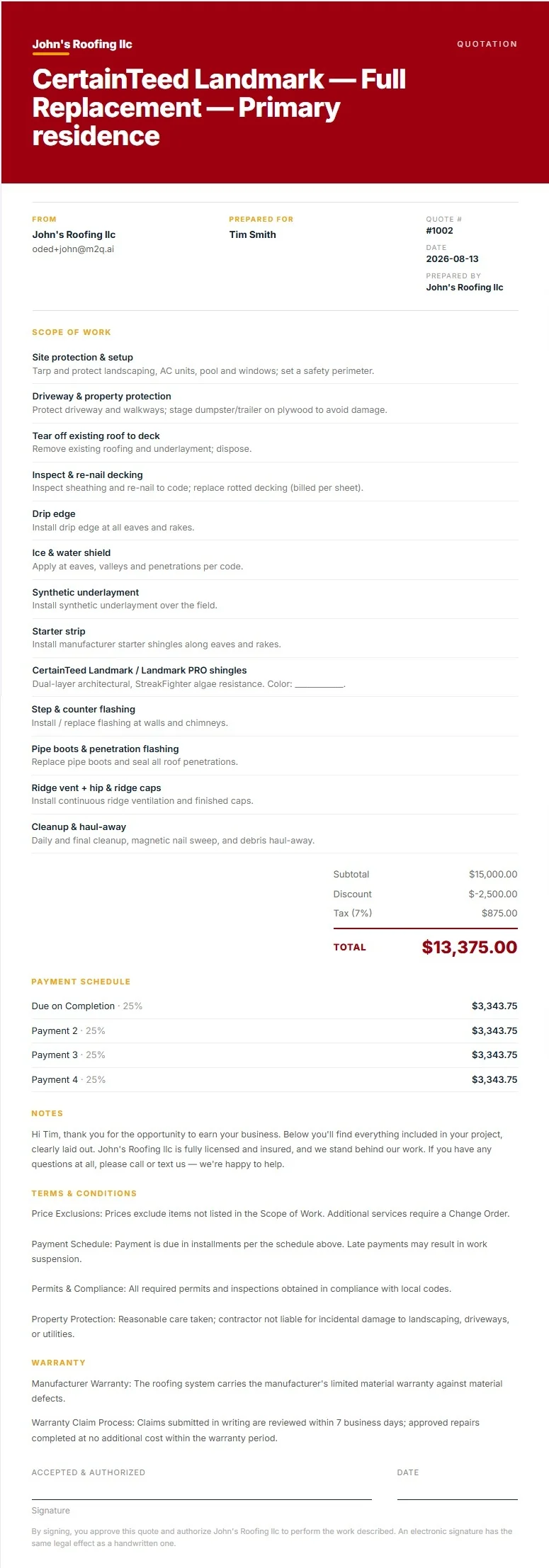
Our roofing quote examples.
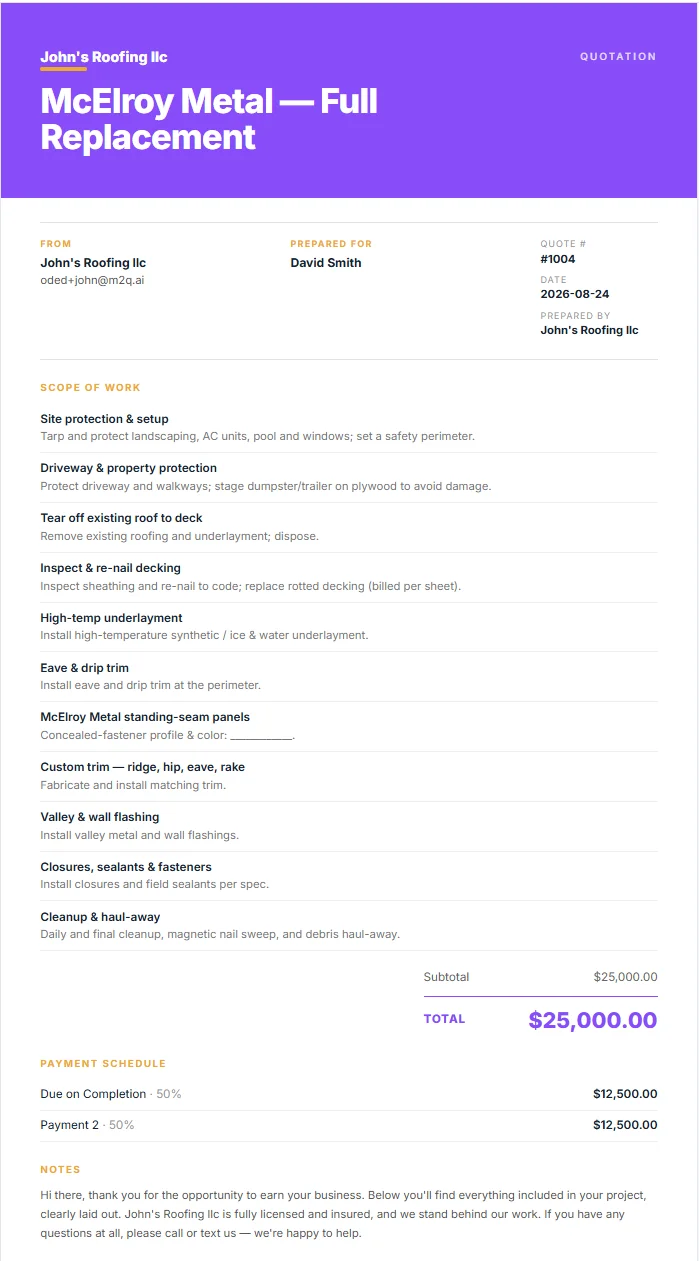
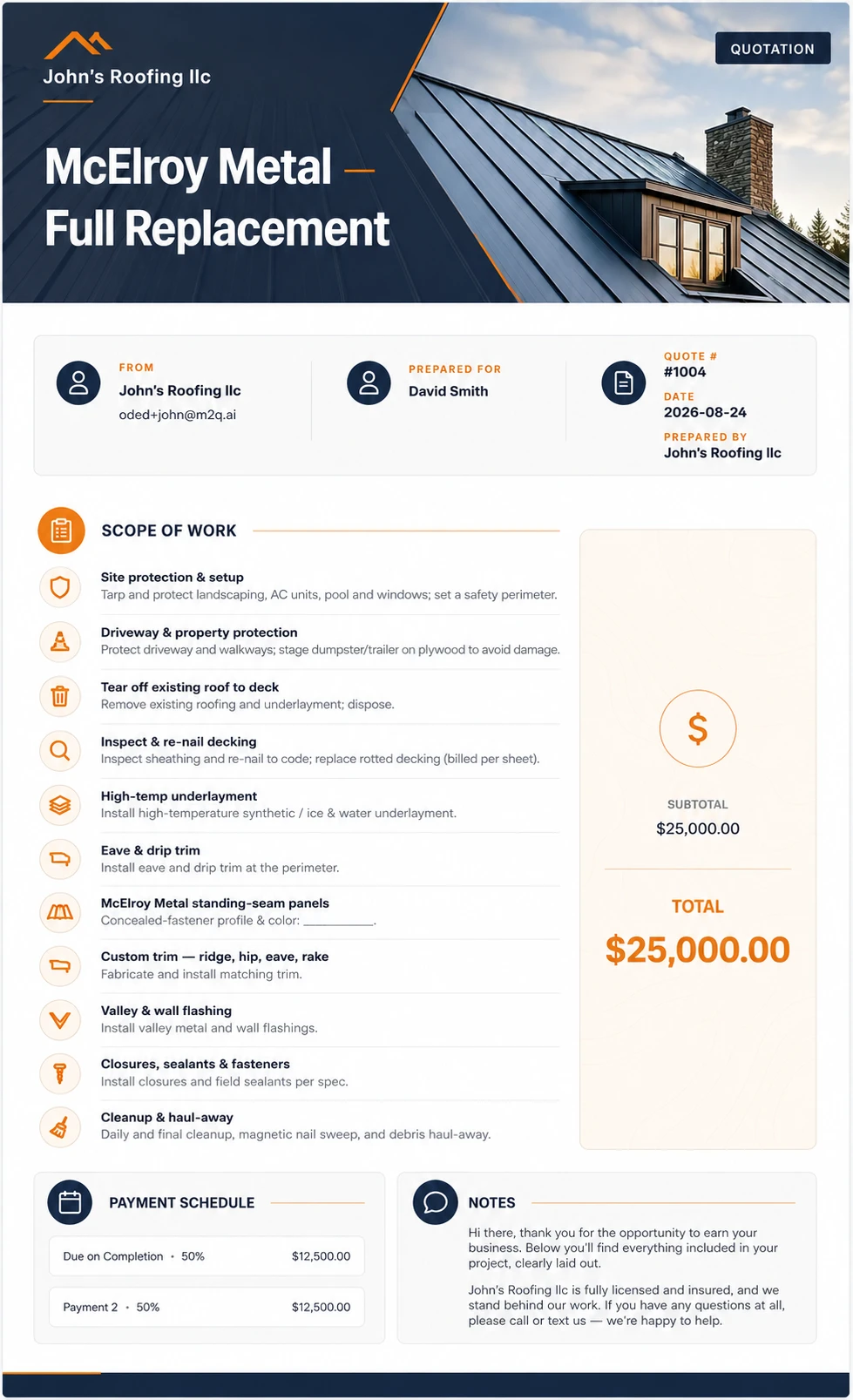
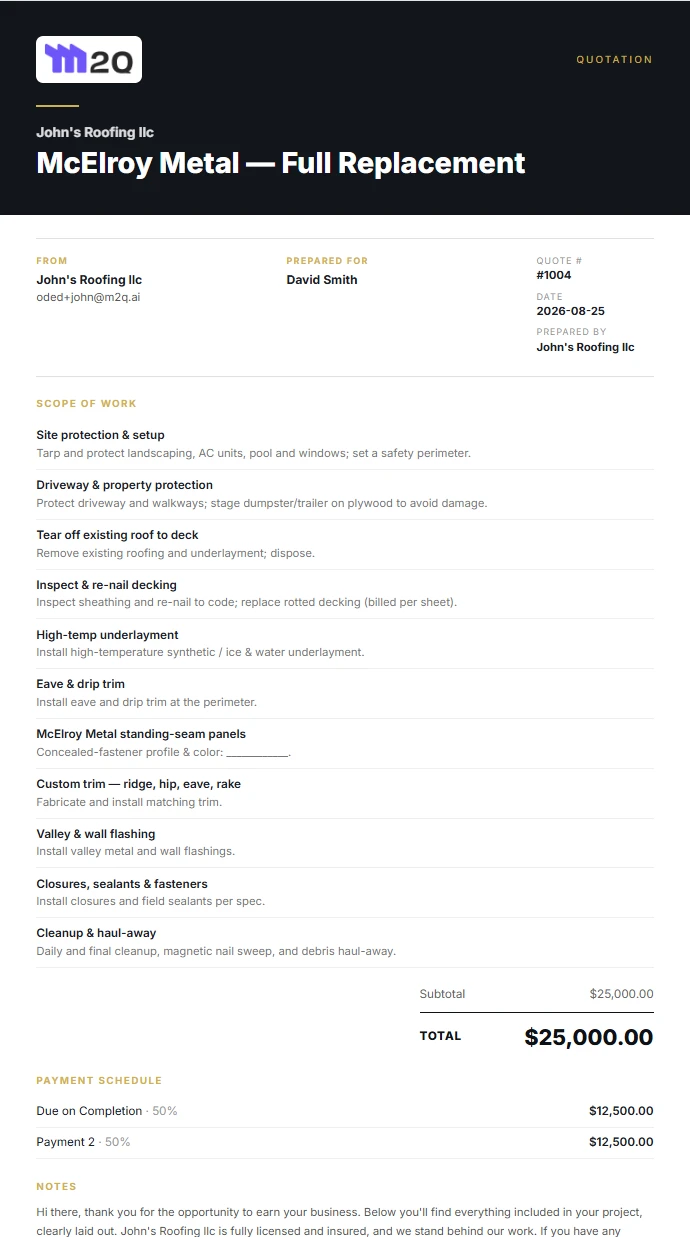
Real quotes built and sent by M2Q contractors - browse a few designs to see what your customers will get.

From quote to happy client - in 3 easy steps.
Call it estimating or quoting: your measurements fill in the numbers, and the deal closes in the same place it started.
Create the quote
Pick a premade roofing template or start from scratch - either way, it takes minutes to build a professional quote clients say yes to.
Share it & follow up
Send it by email, text or WhatsApp and set automatic follow-ups. Client opened it? You'll know. Client signed? You get the notification right away.
Invoice & get paid
Turn the signed quote into an invoice in one click, track the job's status while the work runs, and collect the money.
Built for the way roofers actually quote.
Good / Better / Best
Give the customer three options priced from your catalog. Upsells sell themselves when they're side by side.
Priced your way
Per square - auto-filled from the roof measurement - one total for the job, or per item with price and quantity.
21 quote designs
Letterhead to dark premium, photo layouts and an intro page. Tick one box to make a design your default.
Photos, files & proof
Job photos, a gallery, testimonials and file attachments - the customer sees the proof right on the quote.
AI-written terms & notes
Notes, terms and warranty - click Generate, AI drafts them, you edit. Nothing goes out unseen.
Discounts & tax
Add a discount, set the tax rate - totals stay right on the quote and the invoice it becomes.
Deposit + milestones
Payment schedule on the quote, set by percentages that always add up to exactly 100%.
Save it for next time
Quotes become templates, lines become catalog items. The tenth quote takes a fraction of the first.
Know the moment it's signed
Text, email and in-app notification the second the signature lands - and the signed copy files itself.
Digital signature
The customer signs right on the quote from any phone - type it or draw it, legally equivalent to pen and paper.
Easy sharing
One link, sent by text, email or WhatsApp. They open it on the spot - no printing, no PDFs bouncing around.
Automatic follow-ups
Quote gone quiet? Follow-ups go out on your schedule - you approve the message, M2Q handles the chasing.
First, choose your job type.
Roof replacement, roof repair or new construction - pick the job, pick the template, and the line items are already there. Price everything from your catalog.
- Site protection & setup
- Driveway & property protection
- Tear off existing roof to deck
- Inspect & re-nail decking
- Drip edge
- Ice & water shield
- Synthetic underlayment
- Starter strip
- GAF Timberline HDZ architectural shingles
- Step & counter flashing
- Pipe boots & penetration flashing
- Ridge vent + hip & ridge caps
- Cleanup & haul-away
- Site protection & setup
- Driveway & property protection
- Tear off existing roof to deck
- Inspect & re-nail decking
- Drip edge
- Ice & water shield
- Synthetic underlayment
- Starter strip
- CertainTeed Landmark / Landmark PRO shingles
- Step & counter flashing
- Pipe boots & penetration flashing
- Ridge vent + hip & ridge caps
- Cleanup & haul-away
- Site protection & setup
- Driveway & property protection
- Tear off existing roof to deck
- Inspect & re-nail decking
- Drip edge
- Ice & water shield
- Synthetic underlayment
- Starter strip
- Owens Corning TruDefinition Duration shingles
- Step & counter flashing
- Pipe boots & penetration flashing
- Ridge vent + hip & ridge caps
- Cleanup & haul-away
- Site protection & setup
- Driveway & property protection
- Tear off existing roof to deck
- Inspect & re-nail decking
- High-temp underlayment
- Eave & drip trim
- McElroy Metal standing-seam panels
- Custom trim — ridge, hip, eave, rake
- Valley & wall flashing
- Closures, sealants & fasteners
- Cleanup & haul-away
- Site protection & setup
- Driveway & property protection
- Tear off existing roof to deck
- Inspect & re-nail decking
- High-temp underlayment
- Eave & drip trim
- Drexel Metals standing-seam panels
- Custom trim — ridge, hip, eave, rake
- Valley & wall flashing
- Closures, sealants & fasteners
- Cleanup & haul-away
- Site protection & setup
- Driveway & property protection
- Tear off existing roof to deck
- Inspect & re-nail decking
- High-temp underlayment
- Eave & drip trim
- Englert standing-seam panels
- Custom trim — ridge, hip, eave, rake
- Valley & wall flashing
- Closures, sealants & fasteners
- Cleanup & haul-away
- Site protection & setup
- Driveway & property protection
- Tear off existing roof to deck
- Inspect & re-nail decking
- Tile underlayment system
- Battens
- Drip edge & eave closure
- Westlake Royal Roofing tile (US Tile clay / concrete)
- Ridge & hip set
- Valley metal & flashing
- Cleanup & haul-away
- Site protection & setup
- Driveway & property protection
- Tear off existing roof to deck
- Inspect & re-nail decking
- Tile underlayment system
- Battens
- Drip edge & eave closure
- Eagle Roofing concrete tile
- Ridge & hip set
- Valley metal & flashing
- Cleanup & haul-away
- Site protection & setup
- Driveway & property protection
- Tear off existing roof to deck
- Inspect & re-nail decking
- Tile underlayment system
- Battens
- Drip edge & eave closure
- Ludowici clay tile
- Ridge & hip set
- Valley metal & flashing
- Cleanup & haul-away
- Site protection & setup
- Driveway & property protection
- Tear off existing roof to deck
- Inspect / re-fasten deck
- Insulation & cover board
- TPO membrane (Carlisle SynTec / GAF EverGuard)
- Edge metal, flashings & terminations
- Penetration boots & pitch pans
- Cleanup & haul-away
- Site protection & setup
- Driveway & property protection
- Tear off existing roof to deck
- Inspect / re-fasten deck
- Insulation & cover board
- EPDM membrane (Carlisle / Elevate RubberGard)
- Edge metal, flashings & terminations
- Penetration boots & pitch pans
- Cleanup & haul-away
- Site protection & setup
- Driveway & property protection
- Tear off existing roof to deck
- Inspect / re-fasten deck
- Base sheet & insulation
- Modified-bitumen cap sheet (GAF Ruberoid / Johns Manville)
- Edge metal, flashings & terminations
- Penetration boots & pitch pans
- Cleanup & haul-away
- Inspect & document
- Remove damaged materials
- Replace damaged decking
- Underlayment & flashing
- Install replacement shingles
- Cleanup & haul-away
- Inspect & document
- Locate & expose leak source
- Replace damaged decking
- New underlayment & ice-and-water at area
- Re-flash penetration / wall
- Install color-matched shingles
- Seal & water-test
- Cleanup & haul-away
- Inspect & document
- Remove damaged / loose shingles
- Replace starter as needed
- Install color-matched shingles
- Hand-seal tabs
- Cleanup & haul-away
- Inspect & document
- Remove failed flashing / boots
- Install step & counter flashing
- Replace pipe boots
- Seal & water-test
- Cleanup & haul-away
- Inspect & document
- Locate leak — seam / fastener / penetration
- Reseal seams & laps
- Replace failed fasteners
- Re-flash penetration
- Seal & water-test
- Cleanup & haul-away
- Inspect & document
- Repair / replace damaged panel
- Re-seam / re-clip
- Seal & finish
- Cleanup & haul-away
- Inspect & document
- Remove failed sealant / trim
- Install new flashing / trim
- Renew field sealants & closures
- Cleanup & haul-away
- Inspect & document
- Remove tiles over affected area
- Replace underlayment & flashing
- Replace damaged decking
- Reinstall / replace tiles
- Re-bed ridge as needed
- Seal & water-test
- Cleanup & haul-away
- Inspect & document
- Remove broken / slipped tiles
- Install matched replacement tiles
- Re-secure & weather-block
- Cleanup & haul-away
- Inspect & document
- Remove loose ridge / hip tiles
- Re-bed & re-point
- Weather-block & seal
- Cleanup & haul-away
- Inspect & document
- Locate leak / probe seams
- Clean & prep area
- Install membrane target patch
- Reinforce corners & penetrations
- Water-test
- Cleanup & haul-away
- Inspect & document
- Re-weld / re-seal failed seams
- Install cover strip
- Probe-test seams
- Cleanup & haul-away
- Inspect & document
- Rebuild base / counter flashing
- Reseal terminations & pitch pans
- Water-test
- Cleanup & haul-away
- Site protection & setup
- Driveway & property protection
- Deck inspection & prep
- Inspect & re-nail decking
- Drip edge
- Ice & water shield
- Synthetic underlayment
- Starter strip
- GAF Timberline HDZ architectural shingles
- Step & counter flashing
- Pipe boots & penetration flashing
- Ridge vent + hip & ridge caps
- Cleanup & haul-away
- Site protection & setup
- Driveway & property protection
- Deck inspection & prep
- Inspect & re-nail decking
- Drip edge
- Ice & water shield
- Synthetic underlayment
- Starter strip
- CertainTeed Landmark / Landmark PRO shingles
- Step & counter flashing
- Pipe boots & penetration flashing
- Ridge vent + hip & ridge caps
- Cleanup & haul-away
- Site protection & setup
- Driveway & property protection
- Deck inspection & prep
- Inspect & re-nail decking
- Drip edge
- Ice & water shield
- Synthetic underlayment
- Starter strip
- Owens Corning TruDefinition Duration shingles
- Step & counter flashing
- Pipe boots & penetration flashing
- Ridge vent + hip & ridge caps
- Cleanup & haul-away
- Site protection & setup
- Driveway & property protection
- Deck inspection & prep
- Inspect & re-nail decking
- High-temp underlayment
- Eave & drip trim
- McElroy Metal standing-seam panels
- Custom trim — ridge, hip, eave, rake
- Valley & wall flashing
- Closures, sealants & fasteners
- Cleanup & haul-away
- Site protection & setup
- Driveway & property protection
- Deck inspection & prep
- Inspect & re-nail decking
- High-temp underlayment
- Eave & drip trim
- Drexel Metals standing-seam panels
- Custom trim — ridge, hip, eave, rake
- Valley & wall flashing
- Closures, sealants & fasteners
- Cleanup & haul-away
- Site protection & setup
- Driveway & property protection
- Deck inspection & prep
- Inspect & re-nail decking
- High-temp underlayment
- Eave & drip trim
- Englert standing-seam panels
- Custom trim — ridge, hip, eave, rake
- Valley & wall flashing
- Closures, sealants & fasteners
- Cleanup & haul-away
- Site protection & setup
- Driveway & property protection
- Deck inspection & prep
- Inspect & re-nail decking
- Tile underlayment system
- Battens
- Drip edge & eave closure
- Westlake Royal Roofing tile (US Tile clay / concrete)
- Ridge & hip set
- Valley metal & flashing
- Cleanup & haul-away
- Site protection & setup
- Driveway & property protection
- Deck inspection & prep
- Inspect & re-nail decking
- Tile underlayment system
- Battens
- Drip edge & eave closure
- Eagle Roofing concrete tile
- Ridge & hip set
- Valley metal & flashing
- Cleanup & haul-away
- Site protection & setup
- Driveway & property protection
- Deck inspection & prep
- Inspect & re-nail decking
- Tile underlayment system
- Battens
- Drip edge & eave closure
- Ludowici clay tile
- Ridge & hip set
- Valley metal & flashing
- Cleanup & haul-away
- Site protection & setup
- Driveway & property protection
- Deck inspection & prep
- Inspect / re-fasten deck
- Insulation & cover board
- TPO membrane (Carlisle SynTec / GAF EverGuard)
- Edge metal, flashings & terminations
- Penetration boots & pitch pans
- Cleanup & haul-away
- Site protection & setup
- Driveway & property protection
- Deck inspection & prep
- Inspect / re-fasten deck
- Insulation & cover board
- EPDM membrane (Carlisle / Elevate RubberGard)
- Edge metal, flashings & terminations
- Penetration boots & pitch pans
- Cleanup & haul-away
- Site protection & setup
- Driveway & property protection
- Deck inspection & prep
- Inspect / re-fasten deck
- Base sheet & insulation
- Modified-bitumen cap sheet (GAF Ruberoid / Johns Manville)
- Edge metal, flashings & terminations
- Penetration boots & pitch pans
- Cleanup & haul-away
21 designs - from classic letterhead to dark premium.
Quote and proposal styles, photo layouts and an intro page. Pick one, tick a box, and it becomes your default.

Everything you need to know about roofing quotes in M2Q.
How do I price a roofing quote in M2Q?
Three ways, per quote: per square (your rate × the roof's squares, pulled straight from the measurement), one total price for the whole job, or per item with each line carrying its own price and quantity.
Does the measurement really fill in the quote?
Yes. If the address has a measurement - ordered or traced yourself - the squares are already in the quote when you open it. You set the rate; the math is done.
Can I make Good / Better / Best quotes?
Yes - three options on one quote, each priced from your own catalog, so the customer compares packages instead of price-shopping you.
Can I add a discount and tax to a roofing quote?
Yes - add a discount as a percentage or a flat dollar amount, and set a tax rate per quote. Totals recalculate instantly, and both carry through to the invoice once the quote is signed.
Do I have to rebuild every quote from scratch?
No. Start from a premade roofing template or a blank page, then save your version as a template and your lines as catalog items - next time it's minutes, not evenings.
How do I send the quote to my customer?
Text, email or WhatsApp - the customer gets a link, opens it on any phone, and signs directly on the document. No printing, no scanning, no app for them to install.
How can I share a roofing quote with my client?
Both, whichever fits the job. Download the quote as a PDF and send it however you like - email, text, print it and hand it over. Or share it digitally straight from M2Q's roofing quote software: your client gets a link by text, email or WhatsApp, opens it on any phone or computer, and signs right on the document - no printing, scanning or emailing back and forth to get a signature.
How do I know when it's signed?
The moment the signature lands you get a text, an email and a notification in the app. The signed copy files itself on the job.
What if the customer goes quiet?
Set up follow-ups for unsigned quotes - you approve the message once, and M2Q sends the reminders on the schedule you chose, so no quote dies of silence.
Can I change how the quote looks?
Yes - choose from 21 quote and proposal designs, from a classic letterhead to a dark premium cover. Set the photo layout, add an intro page, and tick one box to make it your default for every quote.
Can I add my logo to a roofing quote?
Yes - upload it once in your company profile and it appears automatically on every quote, invoice and proposal, along with your business name, address and contact details.
Can I add photos or documents to a quote?
Yes. Job and inspection photos show on the document your customer receives, testimonials add the proof, and files are attached for download - all on the same quote.
Can I put a payment schedule on the quote?
Yes - deposit plus milestones, each set by percentage, and M2Q checks they add up to exactly 100%. When the quote is signed, the schedule carries straight into invoicing.
Can AI write my terms and notes?
Yes - notes to the customer, terms and warranty each have a Generate button. AI drafts them, you read and edit, nothing goes out that you haven't seen.
Is M2Q roofing estimating software or a quoting tool?
Both - it depends what you call it. Roofers searching for roofing estimating software or a roof estimate app find the same thing here: measure the roof from an address, price the job your way, and send a professional quote the customer signs on their phone.
Does it work for commercial roofing?
Yes. The commercial roofing systems are built in - TPO, EPDM and Modified Bitumen templates for full replacement, repair and new construction - and per-square or per-item pricing scales from a bungalow to a warehouse.
Your next quote, done in minutes.
Start the trial, build a real quote today.